A year ago this category was three apps and a TechCrunch article. Now it’s a dozen, WeWard has bolted a walking mode onto an app with over a hundred thousand ratings, and the apps disagree about almost everything except the basic idea: the apps that eat your day stay shut until your body has done something.
I checked every app below against its own App Store listing, website and help pages on October 4, 2026. I also built one of them, WalkGate, so read its row with that in mind. Where another app is the better pick for a particular person, I’ve said so, because a comparison where the author’s app wins every row isn’t one.
The short version
| App | Unlock rule | Free to use? | The way out, and what it costs | Platforms | Account |
|---|---|---|---|---|---|
| WalkGate | Daily step goal, or 100 steps = 1 minute (Earn Minutes) | Free for 1 app; Pro for unlimited | One 10-minute break a day after a 5-second hold; pausing in Settings resets your streak | iPhone | No |
| WeWard Walk Mode | Daily step goal (3,000, 5,000, 7,000 or custom), resets at midnight | WeWard is free; Walk Mode’s plan isn’t stated | Override manually in Settings, any time | iPhone (Android planned) | Not stated for Walk Mode |
| Steppin | Earned minutes, 100 steps = 1 minute by default | Yes, no paid tier | ”Override any lock instantly”; Lifehacker reported it breaks your streak | iPhone, Android | No |
| WalkLock | Daily goal, or an hourly mode over a rolling 60 minutes | Free with optional purchases | Not documented; screenshots show a “Beg for 5 More Minutes” request friends vote on | iPhone | Not stated |
| WalkBlock | Daily goal (3,000 to 15,000), open for the rest of the day | Listing says a subscription is required | Help page documents “Clear Blocked Apps”, which unlocks everything | iPhone | No |
| brb | Daily step goal | 7-day trial, then subscription | One 5-minute Emergency Unlock a day; Strict Mode removes it | iPhone | Not stated |
| Stroll | Earned minutes at a rate you set | Yes, no purchases listed | ”You need earned minutes to open it” | iPhone, Android | Optional |
| StepLock (25Bugs) | Daily step goal, with a step bank | Has Premium purchases; free tier unclear | Not documented | iPhone | Not stated |
| Steps Unlock | Daily goals, per its listing | Not stated | Not documented | iPhone | Not stated |
| PushUp Time | Push-ups buy a 15 to 120 minute window | Not stated | Emergency Unlock, which you can switch off | iPhone, iPad | Its privacy policy describes sign-in |
| StepBloc | Steps, plus push-ups or squats for minutes | Monthly pass for unlimited blocks | Not documented | iPhone, iPad | Not stated |
| touch grass | A photo of grass, not steps | Free for up to 2 apps | One free skip a month; more can be bought | iPhone | Not stated |
“Not documented” means the listing, site and help pages don’t say, not that the feature is missing. Names collide in this category, too: there are at least four apps called StepLock and a second app called Walkgate from a different developer, so the links above go to the exact listings checked.
The models matter more than the features
Every app picks one of these, and choosing the wrong one for how you actually scroll is the most common reason people delete them in week two.
The daily gate
One step goal. The blocked apps stay shut until you hit it, then your phone behaves normally for the rest of the day. Miss it and they stay locked until midnight. WeWard’s Walk Mode, WalkBlock, brb and WalkGate’s default mode work like this. It suits people whose failure is the morning, because it puts one hurdle in front of the whole day and then leaves you alone.
Earned minutes
Steps convert into screen time at a rate, usually around a minute per hundred steps. The meter runs all day, so a long session costs a long walk. Steppin is the best-known version, Stroll lets you set the rate yourself, and WalkGate’s Earn Minutes mode does the same. It suits people who scroll in bursts from morning to night, and it asks more of you.
Workout and photo gates
Instead of steps you owe reps, or proof you went outside. PushUp Time sells windows of screen time for push-ups. StepBloc mixes steps with push-ups and squats. touch grass wants a photo of actual grass. Genuinely effective for some people, much harder to do casually, which is either the appeal or the reason it gets deleted.
WalkLock adds a fourth shape worth knowing about: an hourly mode that looks at a rolling 60-minute window, so a long stretch at a desk relocks things until you move again.
App by app, and who should pick which
Free, and on Android too: Steppin
It says it has “no paid tier, no subscription, and no trial that expires”, it runs on iPhone and Android, and it needs no account. The trade is the exit. Its own FAQ says you can “override any lock instantly”, and when Lifehacker reviewed it, the cost of overriding was your streak. If a streak is enough to stop you, that’s a fine deal.
Free, with your own rate: Stroll
Also free, also on both platforms, with the steps-per-minute rate entirely up to you. Its site says a selected app needs earned minutes to open, full stop, though recent release notes mention a 5-minute pass and a strict mode that the site doesn’t document yet.
Already on WeWard: Walk Mode
WeWard pays you in rewards for walking and now adds a daily step gate on top, launched in July 2026 on iPhone only. The help center is candid that “you can override Walking Mode manually, any time”, so treat it as a nudge with a door that’s always open.
A hard daily gate, paid: brb
One step goal, and the only built-in exit is a single 5-minute Emergency Unlock per day, which Strict Mode switches off entirely. That’s about as strict as this category gets. It’s a subscription after a 7-day trial.
Accountability by the hour: WalkLock
The hourly mode is the distinctive bit, and the listing shows a social twist where friends vote on your request for five more minutes. It’s free to download with optional purchases.
Workouts instead of steps: PushUp Time and StepBloc
PushUp Time is the most-rated app in this table after WeWard, and recently made its Emergency Unlock something you can turn off.
Outside, not steps: touch grass
Free for two apps, one free skip a month, and the gate is a photo of grass.
A daily gate with no account: WalkBlock
WalkBlock is a daily gate with a clean design and no account, but it’s subscription-only, and its help page describes a “Clear Blocked Apps” setting that unlocks everything at once. That’s a reasonable escape hatch to have; just know it’s there.
One gate a day, free for one app: WalkGate (mine)
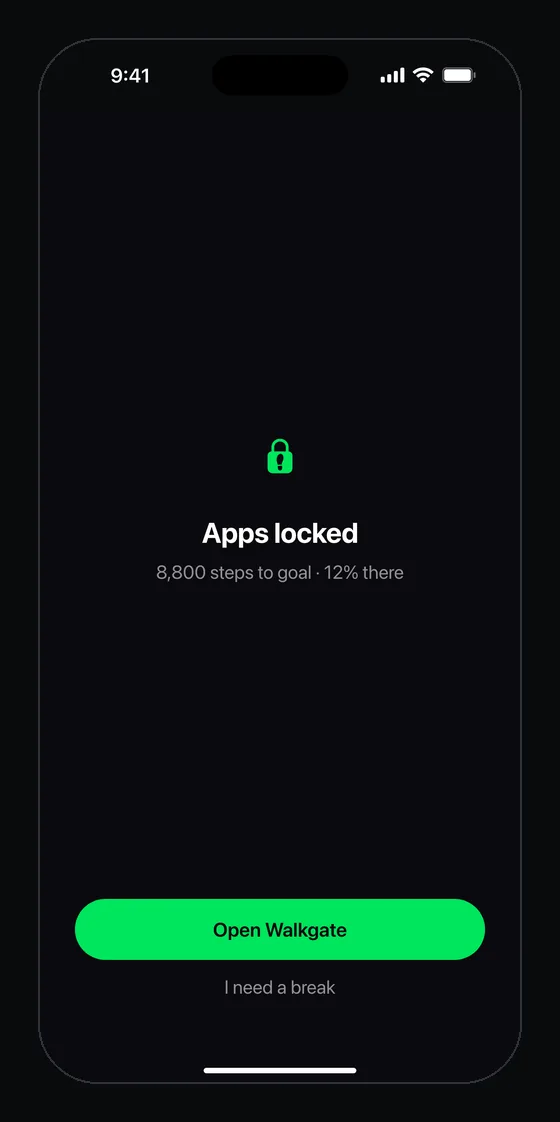
A daily gate by default, or Earn Minutes if you prefer the meter. Steps past your goal bank as minutes for a day you fall short. The block screen has no one-tap ignore: you get one 10-minute break a day after a 5-second hold, and you can pause it in Settings, which resets your streak. The free plan locks one app with every feature; Pro adds unlimited apps and whole categories. No account, iPhone only, iOS 17 or later. Pick it if you want one hurdle a day and an exit that costs you something, without paying to try it.
There’s a wider table that includes Opal, Freedom and one sec on the compare page.
What to check before you choose
Four questions, in rough order of how much they’ll matter in a month.
What does the block screen offer you? This is the big one, and almost nobody checks it before installing. Every app needs an exit, Apple requires it, and you’d want one anyway. The question is the price. Apple’s own Screen Time charges two taps, which is why you bypass every app blocker that copies it. In the table above the prices run from “any time” to “once a day for five minutes”.
Is the goal easy to lower? You will set it too high on day one. Everyone does. An app that makes lowering it painless is an app you’ll still have in March.
Where does it read steps from? Apple Health is what you want, because it adds up your phone, your watch and anything else you wear. Anything counting only its own foreground steps will miss half your day.
What does it do with your data? Step counts are health data. No account and nothing uploaded is the standard to hold these to, and several apps here meet it.
Setting a goal you’ll actually clear
The most common way this fails has nothing to do with which app you pick. People set 10,000 because it’s the number everyone knows, miss it twice in the first week, and quit.
That figure came from a 1960s Japanese pedometer marketing campaign rather than from a medical finding, and meaningful benefits show up well below it for most adults. Our step goal calculator gives you a starting number from where you actually are. Set it low enough that a bad day still clears, then raise it once it’s boring.
If you want the trade in concrete terms first, the scroll-to-steps calculator turns your daily scrolling into the distance you’d cover walking the same time. For most people the yearly number is the part that lands.